Sunday, September 17, 2017

Wildgotchi - iOS and Android

Another virtual pet app.

It's serviceable enough... It's nothing stunning, but it works well enough.

You can feed it different foods, play games with it, clean it up, turn out its lights for it to sleep, give it medicine if it gets sick; the standard stuff. It can also grow depending on how well you take care of it.

There's just something that feels missing from it. It seems to be trying to copy the style of the original Tamagotchi, but has the same sort of problem that the Tamagotchi Game Boy version had. The charm of that kind of came from the fact that it was always on and always with you. It didn't have amazing animation or a ton of features, but it didn't have to.

This, on the other hand... I dunno. It feels like it's setting the bar a lot lower than it could actually be at. There are ways to get back to that nostalgic feeling without stripping away everything else in the process. I feel like games like Pakka Pets Village were able to combine nostalgic design and fun features a lot better. And there's also the official Tamagotchi app if you want to get back to the basics, which also managed to be cuter and more colorful than this managed to be.

Egg Baby - iOS and Android

Definitely one of my more favorite virtual pet apps.

Normally in these, you're taking care of a pet that hatches from an egg... But in this game, you're taking care of the egg itself!

There is a wide variety of eggs to choose from, and each one can grow up into one of several creatures. Once your egg has grown up and hatched, you no longer take care of it. It will go to live in your house's backyard where it will give you items or coins every couple of hours.

The eggs are really cute, and it's fun to take care of them and see what they hatch into.

Some eggs are hardier than others, but they healthier the type of egg they are, the longer they usually take to hatch.

You can feed your eggs, clean them when they get dirty, dress them up in different outfits, and even play some mini-games with them.

It's one of my more favorite virtual pet themed apps, and I really enjoy playing with it. I haven't gotten the chance to try out its sequel Egg! The Game yet, but I'm really looking forward to playing that one, too.

Wednesday, September 13, 2017

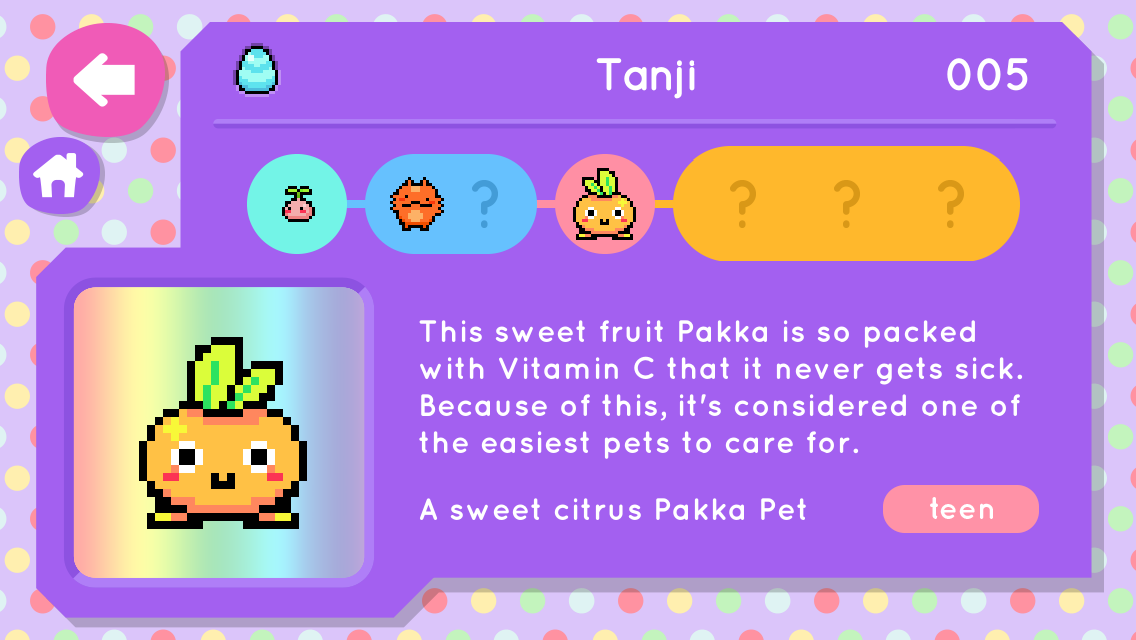
Pakka Pets Village - iOS and Android

I'd heard some good things about Pakka Pets Village, and I wasn't disappointed. This is one of the better virtual pet apps I've tried out.

You start out with a single kind of egg that can grow into a few different kinds of pets. You can unlock different kinds of eggs later, though. There are a good number of pets you can collect and raise. They're very cute, though some of them look a little... familiar.

The graphics are nice, with smooth backgrounds and pixelated characters. They move around quite smoothly, too, and it's pleasant to watch.

You can decorate your pet's room, which is a nice touch.

There's an alchemy system where you can combine food or other items to get higher-ranked foods and items.

You've got a village outside your pet's house that you can help rebuild. There are several things you can do here. You can expand it, send one of each type of pet out to it, plant trees, flowers, or crops, or place new building. You unlock new things to do here as you upgrade your village. It's got a very 2D Animal Crossing vibe.

There's also a city you can access from your village. Here, your pets can complete quests for other characters you find around the city. It's fun seeing just how many you can finish and how much of the city you can unlock.

All-in-all, Pakka Pets Village a pretty fun game. I've played virtual pet apps before that weren't well-designed, but this wasn't one of them. It's fun to see what new pets can be unlocked and how big you can make your village. It's a lot of fun, and I'd really suggest checking it out if you have the time or desire for a good mobile-based virtual pet.


Tuesday, August 22, 2017

Digimon V-Pet 20th Anniversary Version

This Digimon V-Pet just came out in 2017 to celebrate Digimon's 20th Anniversary. It's based on the original version of the V-Pet, with some updated features.
The most obvious update is that you can now raise two Digimon at once. When you first start it up, you're given an Agumon DigiEgg. Once it grows to the Rookie stage, you can choose a second DigiEgg. DigiEggs from the first five waves of V-Pets are available from the start, but you can unlock several more DigiEggs later.

Friday, June 23, 2017

Cool Dino Virtual Pet

This is another odd pet I was pleasantly surprised by- it turned out to be an MGA Dino clone!

It's pretty much a standard virtual pet with the usual features, though it does have a few different food options.

The dinosaur itself is nicely animated, and has a couple different screens it can walk around, with things like trees and mountains it can walk in front of. It's cute and chubby, and wiggles around in an adorable way.

It's not super-hard to take care of as long as you just remember to check on it every once in a while.

The game is the standard left-right guessing game.

The only problem I had with this one was that the pixels were really faint and kind of hard to see, which seems to be a problem with the majority of knock-off/clone pets I've tried out.

If you're able to find an actual MGA Dino, I'd say go with that over this one, though. It wasn't bad, but the pixel faintness makes it kind of hard to play. Ultimately, there are better dinosaur-themed options out there.

Wednesday, May 31, 2017

Tamagotchi Music Star

The Tamagotchi Music Star- also called the Tamagotchi Connection V6- was released in 2008 in the US and 2009 in other regions. This version was never released in Japan.

The goal of this version was to raise your Tamagotchi to be a famous musician in a band.

*~*~*~*~*

When your Tamagotchi hatches, it's given a toy and an instrument. Other toys and instruments can be acquired as you play.

It can play with its toy to lower stress, or practice its instrument to raise skill points.

*~*~*~*~*

The status menu works a lot like that of previous versions, but now also displays your character's skill points and their stress level.

Your Tamagotchi has three categories of points that are raised by playing games or going to school. These help determine whether your Tamagotchi will have a successful band or not.

Stress is now a factor that has to be taken care of. It can go from zero to 99. If it maxes out at 99, your Tamagotchi may refuse to practice or play games. You'll have to work on lowering it before it will do anything else.

Doing things like practicing its instrument or going to work or school can raise stress.

Playing with its toy will help lower stress, but it may also lower its skill points. You have to work on balancing it out with its instrument practice.

*~*~*~*~*

From the start, you have an unlimited supply of a single kind of food and snack. These will only fill all of the hungry and happy hearts when your character is at the baby or child stage. When at the teen or adult stage, these food items will only fill up half of the hearts before they stop. To fill up more, you'll have to buy food or snacks from the shop.

*~*~*~*~*

There are three games that can be played at any time.

Sing a Song raises the Tone skill. In this game, a series of notes are played, and you have to press the corresponding buttons to play the tune back correctly.

Music Notes raises the Rhythm skill. Different music notes will fall from the top of the screen. You have to scroll through the different available notes with the left button, and press the middle button to play the note you've selected. Play the notes that are closest to the bottom to make them disappear.

Sound Block raises the Original skill. Blocks will appear on screen. Numbers are on the blocks, and will count down until they disappear when they hit zero. You have to use the buttons to jump between the blocks to stay on screen until the goal block appears.

*~*~*~*~*

Your Tamagotchi can attend preschool, school, and practice with its band or get a part-time job once it leaves school.

When your Tamagotchi becomes a child, it will be invited to preschool. This is a jump-rope game. Just press the middle button to jump over the rope as it comes around.

When it becomes a teen, it will be invited to school. You'll be able to name your band at this point. You can have your Tamagotchi practice with its band. A note will appear above each character in the band. You have to press the button that corresponds to that character so it can play its part.

When playing with adult characters, three lines of notes will move across the screen. You have to press the correct button once the notes move into the right space.

*~*~*~*~*

When you first select the 'away' option under the connection menu after your character changes into an adult, you'll meet up with your band members, who will grow into adults as well. You will then be rated by a panel of judges. If all of the judges give an 'o', your Tamagotchi's band will pass and get a record deal. If any of them give an 'x', however, your Tamagotchi's band will only be able to give street performances until it passes the next time the band is brought before the judges.

The band will get three chances a day.

*~*~*~*~*

After your Tamagotchi has gotten a record deal, they will receive a paycheck every day.

When you go to the time screen, this screen will now also display how many fans your band has gotten as well as its overall ranking. The ranking can range from 999th to 1st. Giving performances every day will help to raise the ranking.

There are several different genres that your band can fall under. When you get to the highest band rank with a genre, you will receive an award. Nothing seems to happen if you get the award for each genre, but it's fun to try for, anyway.

*~*~*~*~*

This Tamagotchi is fun to play with, but it's pretty complex compared to some of the previous versions. With the added stress component and the regular food only filling up a couple of hearts, it can be a little needy, too. If you have plenty of time to dedicate to it it's a lot of fun, but if not, I'd really suggest looking at other versions before this one.

Wednesday, May 24, 2017

Tamagotchi Connection: Corner Shop

Tamagotchi Connection: Corner Shop was a game released for the Nintendo DS in 2006.

This differs a bit from Tamagotchi-themed games that had been released previously. Rather than being focused on taking care of your Tamagotchi friend, the goal of the game was to build up shops in various towns by playing mini-games.

*~*~*~*~*

Once you've chosen a file, you are prompted to name yourself and choose a Tamagotchi partner. From here, you're able to choose which area you want to go under: Shops, Care, or Demo.

When you choose Shops, you'll be given a choice of three cities, one of which will have two shops already unlocked. This differs depending what partner you chose at the beginning. All of the shops will be unlocked by the end of the game, however, so this only really matters at the start.

The shops are where you'll be spending most of your time. There are eleven different shops, each one with a different mini-game. By completing them well, you'll make your customers happy and earn Gotchi Points.

While each game is different, the overall goal of each shop is to serve a lot of customers and to upgrade the shop level. There are three levels of upgrades for each shop. The first two upgrades are unlocked by a 'mysterious' Tamagotchi in disguise. This character differs depending on the partner you chose at the beginning, but will be 'revealed' by the end of the game. The last upgrade is always performed by Princess Tamako, who will upgrade the shop to the 'Royal' level.

When your shops are upgraded, you have a chance of unlocking new shops, outfits, foods, or decorations for your partner's room.

*~*~*~*~*

Care is where you can take care of your partner. This is a lot more simplistic than with the actual virtual pets. You can feed your partner a number of different foods, dress them up, or decorate their room. It doesn't have any effect on the main game, and you can really ignore this part entirely if you
don't want to use it.

Everything under here is bought with the Gotchi Points earned by playing mini-games in the shops.

*~*~*~*~*

The last option is for sending a demo to another Nintendo DS over wireless connection. Pretty self-explanatory, it lets a friend try out some mini-games without you having to hand over your copy.

*~*~*~*~*

Ultimately, it's a fun distraction. I prefer this game to Corner Shop 2, but I don't like it quite as much as Corner Shop 3. If you enjoy playing with mini-game collections or have an interest in Tamagotchis, I'd suggest taking a look at the mini-games featured in each one before ultimately deciding.

Friday, May 19, 2017

Tamagotchi - Game Boy

Tamagotchi was a game released in 1997. It worked a lot like an upgraded version of the original toys.
*~*~*~*~*

When you start up the game, you get to choose an egg. There are eight different eggs to choose between, but I'm not sure if this has any effect on the character it grows into. The characters from the two original toys are available.

*~*~*~*~*

Your egg will soon hatch into a baby Tamagotchi. You can choose to raise up to three Tamagotchis at a time, but I find it easiest to just stick to one.

The icons are laid out a lot like on the original toys. Scroll through them with left and right on the control pad.

The first one is for feeding your Tamagotchi. There are three different foods and two different snacks you can feed it. Different characters have different likes and dislikes, so trying different foods with different characters is important.

The next icon is for turning the light on and off. Turn it off when your Tamagotchi goes to sleep.

The next icon is for games. There are three different games you can play with your Tamagotchi, all of which will help to raise different stats.

*~*~*~*~*

The first game is the standard left-right game. Press left on the control pad if you think your Tamagotchi will look left, and press right if you think it will look right. Get three out of five guesses correct to win.

The next two games work a little differently. When you select either of them, you can choose between three levels of difficulty. A is the easiest, B is medium difficulty, and C is the hardest.


In the Study Game, your Tamagotchi has to answer simple math questions. You press a button to see where your Tamagotchi will go. Pressing a direction on the control pad might help encourage it to choose that answer, but it doesn't always help.

The harder the difficulty, the more answers there will be. The math gets a little harder, but not by much. Playing this game will raise its IQ.

I always feel a bit bad while playing this game; my Tamagotchi always looks like its head is about to explode. It's okay, Tamagotchi. I'm not one for math, either.


The last game is a ball-catching game. Balls will fall from the top of the screen, and you have to get to them before they hit the ground. Press left and right on the control pad to change what direction your Tamagotchi is facing, and press the A button to make it hop in that direction. If you leave it, it'll hop along on its own, but its not always good at getting to the balls in time.

Playing this game will raise its Body level.

*~*~*~*~*

The next icon is for medicine. Use this if your Tamagotchi gets sick.

The next icon is for cleaning the screen. Use this when your Tamagotchi makes a mess.


The status menu can be found under the next icon. Here you can see your Tamagotchi's stage of growth, hunger, happiness, age, weight, IQ, Body, and Discipline levels.

The next icon is for discipline. You can use this to praise or discipline your Tamagotchi depending on how it is acting.

*~*~*~*~*

The last icon, all the way at the right, has a few different uses. Here you can get explanations for different functions, choose a different egg, enter one of your Tamagotchis in special contests, or send you Tamagotchi back to its planet early.

The contests can be entered once your Character is at the Child or Adult type. There are three different types of contests you can enter.

There's a race, which is based on your Tamagotchi's Body level, a math contest, which is based on your Tamagotchi's IQ, and a beauty contest, which seems to be based on your Tamagotchi's overall level of care.

You unlock a few different things when you win a contest: a music test, a sound effects test, a music speed test, and a character gallery. Nothing super-interesting, but it's a nice touch.

*~*~*~*~*

This was an interesting game. It was fun to have all of the P1 and P2 characters together in one package, and having the option of keeping more than one pet at a time was nice. The music isn't spectacular, but it isn't really grating, either. The characters are nicely animated. I particularly like the animations for when they feed them a favorite food.

It did manage to introduce some features that would be used in future Tamagotchi versions, like different characters having favorite foods, the option to keep more than one pet at a time, and the option to discipline or praise depending on behavior.

The in-game clock can be sped up or slowed down depending on how much time you have to take care of your pet.

There's one major problem with the game, though. The fun thing about Tamagotchis is that you can carry them with you discreetly and just check on them throughout the day. Barring some of the vintage models, they don't need constant attention.

You just cant do that with this game. You're going to have a system on you that's much bulkier than the original toys, and it's always going to be on if you want to play with your pets. It just seems to go against the design of the original pets in a way. It gets sort of tedious after a while in a way I don't think the original toys do.

Unless you're a collector or just really curious about this game, I'd stick to the keychain toys. There are just so many better options out there, it's really hard to recommend this one.

Tamagotchi Connection V5 Celebrity

The Tamagotchi V5 Celebrity - also known as the Dream Royal Family Tamagotchi Plus in the Japanese release - was released in 2008. It was an updated version of the Tamagotchi Connection V5, with a celebrity and royal touches added in.

Like the original V5, it allowed you to raise a family of Tamagotchis instead of just raising one at a time.

*~*~*~*~*

When you first start it up, you'll have three eggs. On generations after this, you'll get between one and three eggs when your adult Tamagotchis mate.

Family bonding affects what characters your Tamagotchis will grow into, but there are fewer 'Pure' Families in this release; the ones from the original V5 were replaced by the Royal Family.

At set times during the day, your Tamagotchi family will call for your attention. The discipline button has been replaced with a button to answer this call. They will ask for your help deciding on one of three items to use. The items vary between calls. Answering these calls will help to raise the bonding level, but missing the calls will lower it.

There are more items in the V5C than in the regular V5, but they still have the same basic functions.

Some items you can buy from the TV Shopping channel will also raise bonding by a small bit.

Having a high bonding level makes them more likely to grow into adults from the Royal Family.

*~*~*~*~*

The family you start out with will be a 'Mixed' Family, but this can change depending on the bonding level and items used, who your Tamagotchis marry, and the care you give them.

There are few ways to get the Royal Family.

All require the family bonding level to be at 100%.

If you have the female characters Rosetchi or Princess Tamako, they will need to marry Prince Tamahiko. If you get the male character Prince Tamahiko, he needs to marry Rosetchi.

*~*~*~*~*

There are a few other families that can be obtained through neglect.

The Pudding Family is obtained through overfeeding your family too many times.

The Model Family is obtained by missing calls for empty hunger hearts too many times.

The Papara Family is obtained by missing calls for empty happiness hearts too many times.

*~*~*~*~*

 The first icon is the status screen. It will show your family's name, the names of your characters, your family's hunger and happiness, their bonding level and family type, and the number of points you've earned.

The next icon is for food and snacks. Foods and snacks that you've bought on the shopping channel will be kept here.

The next icon is the toilet. Use this to clean the screen when your characters make a mess, or when they need to use the toilet.

The next icon is for games.

*~*~*~*~*

There are six games to play in the V5C. Two of these are unlocked during the second generation and later. Unlike the standard V5, the games can be played with any of the siblings. It will switch which character you are playing with each time you choose a game.

The first game is Tama Fans. Your Tamagotchi will sign autographs from characters that come up to it. You need to press the left and middle buttons, depending on what side the fan comes up on. Sometimes, they will bring up bees instead; don't sign these!

The second game is Pool Play. Your Tamagotchi stands on the left side of the screen, and tubes will float by in a pool on the right side. Press the middle button to make your Tamagotchi jump onto the tube. You have to time your jumps carefully so that you don't miss.

The third game is Tennis. You have to see where the ball is coming from. If it's going to the top of the screen, press and hold the left button to have your Tamagotchi move up. If it's going to the bottom, press and hold the middle button to have your Tamagotchi move down. The next part is what I find the hardest: when the ball comes close enough, press the button on the right to hit the ball back.

The fourth game, the last you one you can play in the first generation, is Safe Box. You have to match the numbers shown above the box in order to open it. Press the left button to change the left number, and the middle button to change the number on the right. Press the button on the right to submit your number set.

The next two games can only be played in the second generation and on.

The first is Cue Ball, which is played with the father. Watch the cue stick, and press the middle button at the right time to hit the balls.

The second is Jewels, which is played with the mother. A jewel will be covered up, then mixed around with some others. Press the left button to select which one you think the jewel is under, and press the middle button to confirm your choice.

*~*~*~*~*

The last icon on the top is for connecting to other Tamagotchis and for getting codes to connect to the computer when the TamaTown website was running.

*~*~*~*~*

A couple times a day, your family will call for you. When this happens, scroll down to the leftmost icon on the bottom of the screen. Then decide what item to have them play with. All will help to raise the family bonding level. Missing this call will lower the level, however.

There are a few sets of items that can be used, and their position determines what affect they will have on your family's growth.

Items on the left side will help them grow into Sociable characters, items in the middle will help them grow into Active characters, and items on the right will help them grow into Artistic characters. This - along with the family bonding level they are at before changing - will help determine what adult characters your family will grow into.

*~*~*~*~*

Medicine, items, souvenirs, and special items are stored in the chest icon, the second icon on the bottom.

The V5C has a shopping channel, dating channel, and travel channel all in one place, under the middle icon on the bottom screen.

The shopping channel works like the shop from previous Tamagotchi versions. Four items are sold at a time. Exiting and re-entering the shopping channel will change the items that are being sold.

The dating channel can be used 48 hours after your characters become adults. It can be used three times a day. Choose which of your Tamagotchis you want to get married. Scroll through them with the left button, and confirm your selection with the middle button. The Matchmaker will then offer you a partner. Choose yes to have your Tamagotchi marry them, choose no if you want to try again. The partner offered will be different each time. The character that gets married will leave its siblings to start its own family.

The last channel is the travel channel. This works like the pause function on previous Tamagotchis. Your family won't need any care while they're here, but they won't grow.

*~*~*~*~*

The next-to-last icon on the bottom shows your friends list and history and friends list. This shows Tamagotchis that you raised in the past and the friends you've connected with.

The last icon is the attention icon. You can't select it, but it will light up when your family needs something.

*~*~*~*~*

I really enjoyed this one, probably more than the original V5. It has more games and little features that just make it even more enjoyable. I think the V5C games are more fun. The names of the foods and snacks are also displayed under the food menu after you buy them, which was strangely left out of the original V5.

I really like the shell designs, too. I was particularly impressed by the one I got; I was expecting a plain white, but it turned out to be a pearly pink!

I miss all the pure families that were in the original V5, and I think the characters in that one were cuter in general. Still, I think the V5C is just a little more fun to play with, even if it isn't quite as cute.

If you're looking for more of the 'classic' characters, though, you may want to go with the original V5.

Further Reading:
Tamagotchi V5

Tuesday, May 9, 2017

Angelgotchi

The Tamagotchi Angel or Angelgotchi was released in 1997 in Japan and the rest of the world in 1998. It features cute, angel-themed characters and can be seen as the counterpart of the rare Devilgotchi toy.

When you start up the Tamagotchi, the first thing you probably notice is the unique way it starts up. Rather than beginning life as an egg, it starts off at the death screen of the original Tamagotchis, the ghost and grave for the Japanese versions, and the UFO from the English versions.

After a few minutes, the screen starts flashing, and soon your new friend appears on-screen.

The baby Tamagotchi angel doesn't seem quite as needy as other baby-stage Tamagotchis. It's really quite cute, looking like a little ghost/angel hybrid.

The weight on the status screen has been replaced with a Tenshi/Angel Power level, which can be increased by feeding your pet its snack or praising it when it does good deeds, which replaces the normal discipline option. In the earlier stages, it won't beep for praise, so you have to be on the lookout.

The Angelgotchi, like several other vintage Tamagotchis, comes equipped with a touch sensor. Sometimes when you go to feed your little angel its snack, a bat will come up and try to steal it. Tap on the side of the toy to scare the bats away and let your Tamagotchi keep eating.

Your Angelgotchi will sometimes go on walks. When this happens, you can call it back by highlighting the Praise icon and tapping on the screen or side of the toy.

The game it features is pretty fun. Your angel floats at the left side of the screen, and stars start flying in from the right. As soon as you see a star come on-screen, press the left or middle buttons to make it jump over the star. Jump over at least three of five to win.
 
 The beep on this one is a little quiet; if you're not listening for it or it's tucked away in a bag, you might not hear it. It's a pretty quiet toy and doesn't beep for attention too much.

One nice thing about it is that it changes forms almost every day, though it might take a bit longer for the adult characters to change into the secret characters.

It's important to remember to not turn the lights off on this one unless the Tamagotchi is asleep. Doing so can make it sick or even immediately kill it.

The endings differ depending on whether you're playing with the Japanese or English versions.

The bad ending on the Japanese version features your angel turning into a Deviltchi, and the English version shows it turning into a black egg. Neither of these can be played with any longer while in this form, and the unit has to be reset at this point by holding the left and right buttons.

The good endings for both versions show your Tamagotchi looking sad and then show a little shape floating into the sky. The Japanese version follows this up with a 'Thank You' screen, while the English version displays a starry night sky.
 
This is a quiet and easy-to-raise Tamagotchi. It doesn't beep for praise until later stages, so it may be hard to catch it when it needs praising unless you're able to actively check on it every once in a while.

It changes pretty quickly compared to other vintage Tamagotchi models, making it fun to experiment with how care affects the growth.

Unopened Japanese models are relatively inexpensive, with the English models being a bit more rare and costing a bit more.

It's a very fun version to play with, and one I'd highly to anyone with a desire to collect or play with vintage Tamagotchis.

Tamagotchi m!x - Anniversary Version - Part One

This is one of my most favorite Tamagotchi versions. This version has a lot of text and menus, so I'm going to try and split this into two parts- an explanation for the different menus in the first, and my thoughts and feelings towards it in the second.

*~*~*~*~*

When you first start it up, you're asked to set the date and time, your birthday, and your name.

Your new Tamagotchi will soon hatch. It'll grow from a baby to a child in about an hour. From here,
it'll take about a day for it to grow into a teen, and another day after that before it becomes an adult.

*~*~*~*~*

The icon menu isn't constantly up like on most other Tamagotchis. Instead, it only comes up when you press the left button. This gives it a bigger display, so everything is bigger and brighter than on previous color models, and gives it a lot more room to move around.

Color models have a battery-saving function so the screen goes dark after a certain period of not playing with it. Just press any of the buttons to turn it back on.

Pressing the middle button when the screen is on will let your Tamagotchi go to the yard outside of its house. Pressing the middle button while it's outside will bring up the date and time screen. Pressing it again while on this screen will bring it back to the main menu.

*~*~*~*~*

The first choice on the option menu has two choices under it.

The first is the status menu, which has two screens. The first screen shows your name, your current Tamagotchi's name, and its gender. The second screen shows your Tamagotchi's happiness meter, its level of fullness, its age, the current generation, and your current number of points you've earned through playing games.

The second choice is the settings menu. There are four choices under this menu. The first choice is for changing the date and time. The second is for changing the screen's brightness level. The third is for turning the sound on and off. The final menu is for changing the icon menu background. You'll unlock these as you unlock new areas.

*~*~*~*~*

The second menu is for food. There are two options under here.

The first is for feeding your Tamagotchi either the food and snack you have an unlimited supply of, or the food you've bought at the stores.

The second option is for going to the restaurant. You can buy food and snacks for your Tamagotchi here, which will be eaten upon purchasing them. Sometimes other Tamagotchi characters from around the different towns will even come and join in.

*~*~*~*~*

The next menu is for the bathroom, which contains two options. The first is for the toilet, and the
second is for the bath.

*~*~*~*~*

 The fourth menu is for connecting. It has three options.

The first is for connecting with other Tamagotchi m!xes. From here, you can choose one of four different options. The first is for playing, the second is for fortune-telling, the third is for trading items, and the last is for proposing.

The second is for downloading files from IR devices.

The third is for connecting to a PC.

*~*~*~*~*

The last menu on the top is for family-related things. You won't really be able to use this until at least the second generation onward. It has three options.

The first is for sending your Tamagotchi to its parents' house. This is like pausing the older models. They'll take care of it for the day, but will send it home at night.

The second lets you view your Tamagotchis family tree. It can go back for several generations, but will eventually start to overwrite the old ones.

The last option shows you your Tamagotchi's family picture. It will show your current Tamagotchi's parents, and their grandparents on both sides.

*~*~*~*~*

The third option takes your Tamagotchi to the nearby town. There are two options under here.

The first option takes your Tamagotchi to the Tama Depa, where you can go shopping. There are two options under here.

The first is for shopping at the mall, which has a further four options under it.

The first choice lets you renovate your Tamagotchi's living room. The second lets you buy items for your Tamagotchi to play with or take to other towns. The third lets you buy accessories for your Tamagotchi to wear. The last option under here lets you buy rings for proposing to other Tamagotchis. You can only access this one once your Tamagotchi becomes an adult.

The second option under the Tama Depa lets you access the game room, where you can play one of two games to earn points to spend on items and other things at the Tama Depa.

*~*~*~*~*

The second option under the door icon takes your Tamagotchi to the nearby park. There are two options under here.

The first lets your Tamagotchi go to the town square. Here, different events can take place at different times throughout the day, like an item vendor coming by. Your Tamagotchi can also talk to other characters from past versions.

The second option sends your Tamagotchi to a playroom, where it will be taken care of for the day. It works like pausing it, though it will eventually be sent home.

*~*~*~*~*

The next icon lets your Tamagotchi go to the nearby towns and other areas. The available areas vary depending on the version of the m!x you're playing with.

You can do different things in the towns, like shopping for food, items, and accessories, visiting other Tamagotchi characters, and even playing different games in some of the towns.

*~*~*~*~*

The next icon is for the chest. This is where your items, accessories, and cleaning tools are stored. There are four options under here.

The first is for your items. This is where the items you buy at the various stores are sold.

The second is for accessories. You can dress up your Tamagotchi with the accessories and clothing you've bought under this menu.

The third is for cleaning. Sometimes your Tamagotchi's room will turn brown. This means it has gotten dirty, and you need to use this to clean it.

The last is for special items. Sometimes, you'll receive special items like coupons for discounts at stores or other unique items. This is where these will be stored.

*~*~*~*~*

The next icon is the diary. This is where the list of characters you've met and the photos your Tamagotchi has taken with its friends are stored.

The first option is for looking at the list of characters your Tamagotchi has met throughout the various towns. The colored stripe on the left side of this screen represents your Tamagotchi's level of friendship with that particular character.

I believe the second is a list of friends you've connected with, and options having to do with that such as viewing their Tamagotchi's family photo.

The third is for viewing photos that your Tamagotchi has taken with others.

*~*~*~*~*

The last option is a medicine chest. Use this if your Tamagotchi gets sick.

Further reading:
Tamagotchi m!x - Anniversary Version - Part Two

Tamagotchi m!x - Anniversary Version - Part Two

This is really one of my favorite Tamagotchi versions. It's a bit more sandbox-y than previous color versions. While those had a tangible goal of getting all the Tamagotchi characters available in that particular version, this one has the 'goal' of playing around with genetics.

When you mate two adult characters, it will 'mix' their traits together. This can result in some... interesting combinations, and the traits will last throughout the generations.

You can influence what traits are more likely to be passed down by changing the town's theme. It seems to be influenced by what you do with the parents, but only seems to change once the new baby is born and goes to the town. You do this by feeding them food, playing with items, and dressing in accessories from the area the parent whose traits you want came from. I'm not sure how many themes there are, and it changes depending on what version of the m!x you're playing with.

*~*~*~*~*

The m!x is an extremely lovely Tamagotchi, particularly the 20th Anniversary versions. The coloring behind the faceplate is starry and metallic. It's just really, really nice to look at. Dust doesn't seem to get behind the faceplate, either, which was a big problem I had with the Tamagotchi P's.

The screen is big and bright, and the changing of the menu means the characters have way more room to move around.

It's really, really cute to see the characters moving around the screen and interacting with each other, and I love being able to mix traits of my favorite characters.

If you want a color Tamagotchi, I'd really suggest taking a look at this version

Further reading:
Tamagotchi m!x - Anniversary Version - Part One

Thursday, May 4, 2017

Wawu Frog

This seems to work like a standard Tamagotchi, but with frog-themed characters.

*~*~*~*~*

The first option is for feeding. You can give your frog some sort of meat-type food or candy.

The next option is for the light. Turn this off when your pet frog goes to sleep.

The game is the next option. It's the standard left-right guessing game. Press the left button if you think your frog will look left and the middle button if you think it will look right. Get at least three out of five guesses right to win.

The next option is for medicine. Use this if your frog gets sick.

If your frog makes a mess, use the next option. It will flush the screen and make it nice and clean again.

The next option is the health meter. Here you can see your frog's age and weight, its discipline, hunger, and happiness levels.

Discipline your frog by using the next option. You should do this when your pet calls for you even though it doesn't need anything.

The last icon can't be selected by you, but will light up when your frog needs something.

*~*~*~*~*

I wasn't overly impressed by this one. The buttons weren't super-responsive, and more importantly,
the pixels were so faint I could barely see them. I tried out two of them, but had the same problems with both.

The characters were cute, but not super-unique. I don't really see a reason for choosing this one over other available virtual pets, especially with the issues I had with it.

Play with a regular Tamagotchi if you're looking for a Tamagotchi-style pet, or get a Super-Gyaoppi or Giga Pet Frog if you're looking for something frog-based.